
|
General Note: Each data filter option operates independently. When applying multiple selections for the same filter option, the results returned will include only records that match (IS) or do not match (IS NOT) ANY of the filter selections. When applying multiple different filter options (hierarchy node(s), plus product(s) for example), the results returned will include only records that match ALL filter criteria. For more information about Global Filters within the Intouch platform, please refer to our documentation here. |
Product Filters:
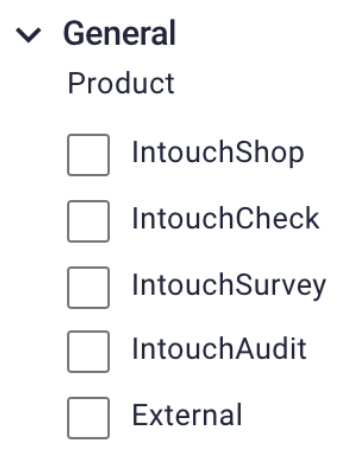
Filter data based on the source product of the data. Filter options include Shop, Audit, Check, Survey or External Data, depending on your product permissions. When multiple product selections are made, data from ANY of products selected will be returned.
Program Filters:
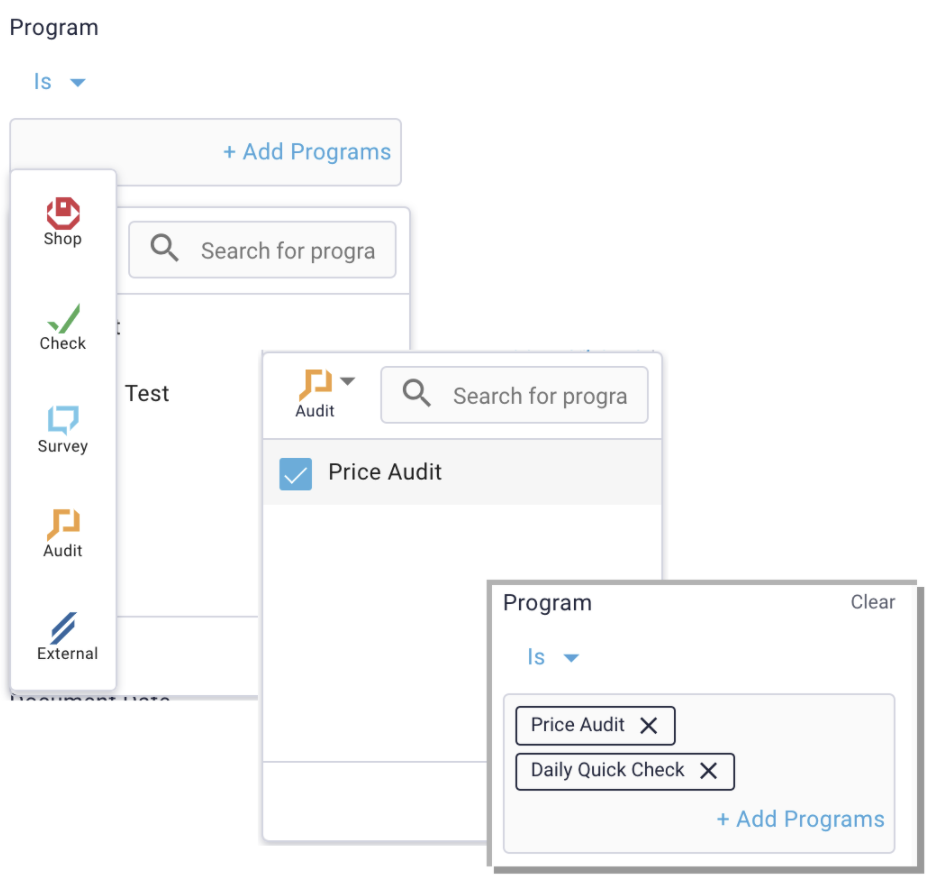
Filter data based on the source program of the data. When using this filter, determine if you want your filter in order to include only certain programs (IS) or to exclude certain programs (IS NOT). Select the product source of the program (Shop, Audit, Check, Survey or External Data depending on your product permissions) then select the program. When using the ‘IS’ condition, if multiple program selections are made, data from ANY of programs selected will be returned. When using the ‘IS NOT’ condition, if multiple program selections are made, data that IS NOT from ANY of programs selected will be returned.
Program Data Filters:
There are many filters that can be applied using program data filters. These include
You can apply multiple program filters in combination by continuing to ‘Add Program Data’.
When the ‘ANY’ condition is used, the data returned will include records that match any of the selected program data filter conditions applied.
When the ‘ALL’ condition is used, the data returned will include records that have had ALL of the selected program data filter conditions applied.
Section Score Percentage via Program Data Filter
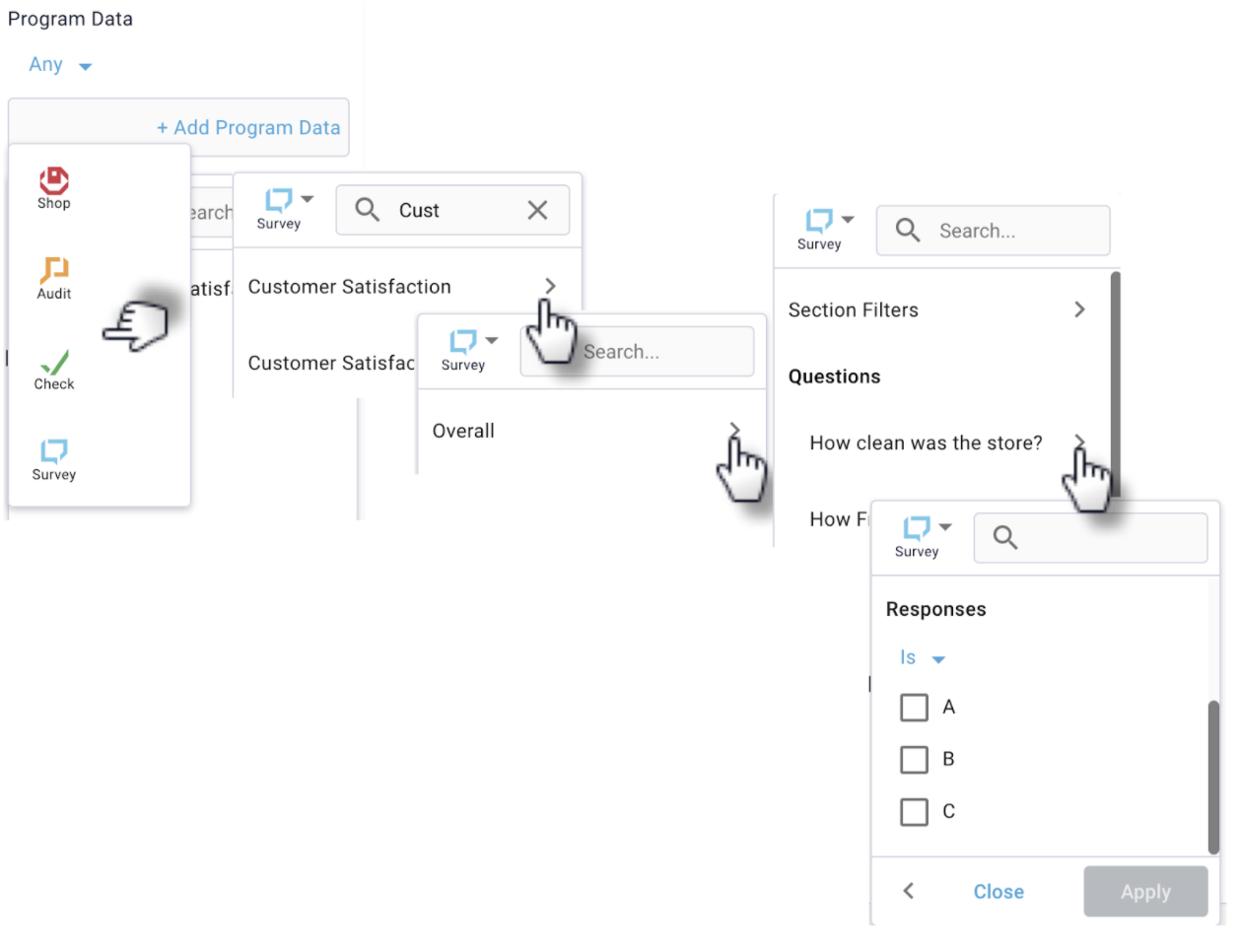
Filter based on the score on a particular section of a visit/record. Using the ‘Program Data’ filter, select the product, then program, then section. Select ‘Section Filters’, then apply the appropriate condition. This filter uses number comparisons to determine which results to return.
Note: Not all sections will have a section score. This is based on the program settings.

Question Score Percentage via Program Data Filter
Filter based on the score on a particular question of a visit/record. Using the ‘Program Data’ filter, select the product, then program, then the section that contains the question. Select the appropriate question, then apply the appropriate condition under ‘Score’. This filter uses number comparisons to determine which results to return. Note: Not all questions will have a question score. This is based on the program settings.

Question Response via Program Data Filter
Filter based on the response(s) to a particular question. Using the ‘Program Data’ filter, select the product, then program, then the section that contains the question. Select the appropriate non-text input question, then apply the appropriate selection(s) for the response. Depending on the question type, the response selector may present a list of responses (multiple choice, checkbox, dropdown questions etc) or offer numeric comparisons (rating, scale, slider etc). Note: If multiple responses are selected within a single program data condition, the results will include records where ANY of the selected responses were answered.
Comments
0 comments
Please sign in to leave a comment.