
After an external program has been created, it cannot be deleted.
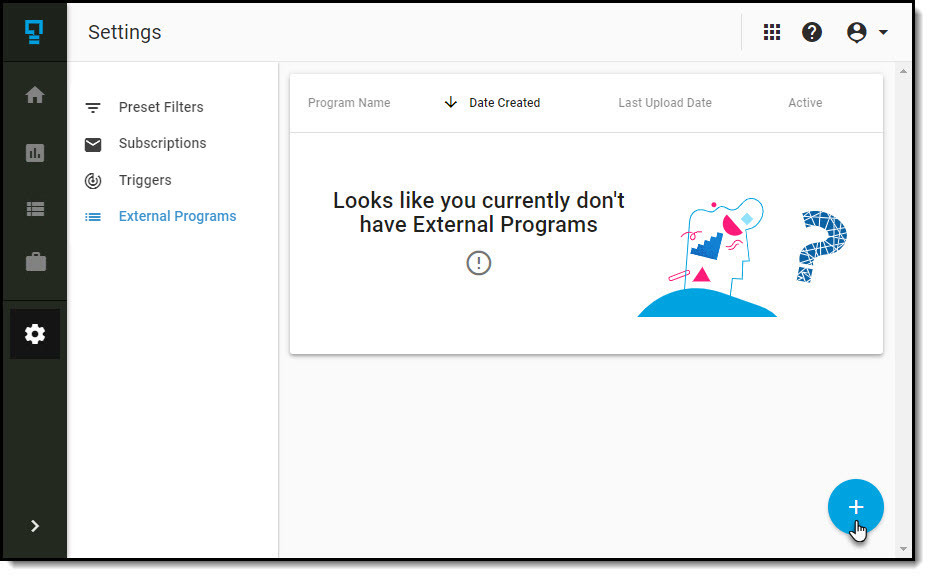
To create a new external programs, navigate to the External Programs list, and click on the + at the bottom right corner of the page.
To configure your external program:
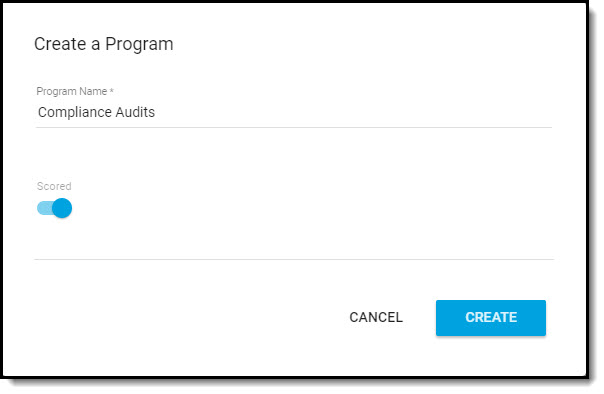
- Enter the Program Name - you will want to use a name that describes the external program.
- Toggle Scored on/off, depending on whether your program has scored questions.
After the settings to create the program have been applied, click on Create.
You will immediately be redirected to the Program Setup screen, where you can build the form that will receive the data you will be importing.
Comments
0 comments
Article is closed for comments.