
Using the Subscribe feature, a user can set up a schedule to receive an email with a PDF attachment of the view (Dashboards) or an email including a link to download a .csv/Excel file (Record Lists). Record lists subscriptions can also be used to deliver a .csv or an Excel file directly to an SFTP or other connected service (check out our integrations here). This ensures data is delivered directly to the user/endpoint in a timely manner.
Set up a Subscription
To set up scheduled delivery:
- Navigate to the view you wish to subscribe to
- If applicable, apply filters to your view
- Some views may have the subscribe option available directly within the view as shown below:
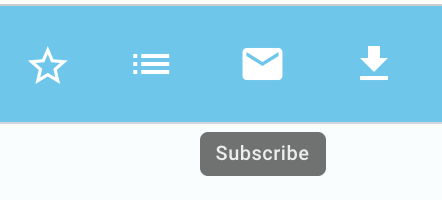
Other views will include the 'Subscribe' option within the triple dot action menu as shown below: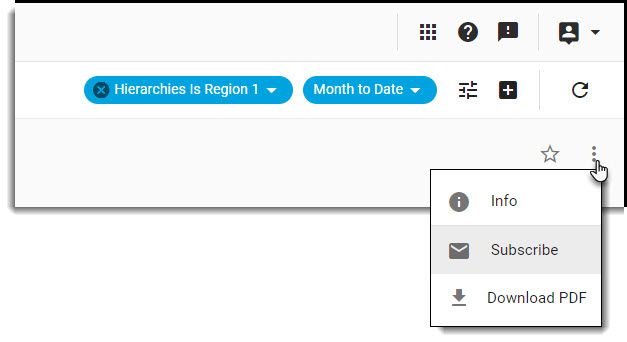
If the subscribe option is not available in either place, subscriptions are not available for the view.
- For Dashboards: Set the delivery method (email only), add notes (notes appear in the email body), choose the layout (standard - as you see it, stacked - 2 charts per page), frequency (daily, weekly, monthly, or quarterly), recurrence, and time parameters for the subscription

For Record Lists: Set the delivery method (email/SFTP), add notes (email only: notes appear in the email body) or select the SFTP Connector (SFTP only, connector must be setup in advance), Format (.csv or Excel and applicable fields), frequency (daily, weekly, monthly or quarterly), recurrence, and time parameters for the subscription - Click on Subscribe
Manage Subscriptions
After a subscription has been set up, users can go to the Settings page in IQ, and view 'Subscriptions' within 'Reporting' to see a list of all subscriptions created by or shared with them.
Admin users and users with IQ Advanced Settings or Sharing permissions access will also have the option to share a subscription they have set up with other users or user groups.
Sharing options include:
Private: This is the default; the email will only be sent to the user who created the subscription or the integration subscription is only visible to the creator.
User: The email will only be sent to the individual user(s) you select or the integration subscription is only visible to the individual user(s)
Group: The email will only be sent to the user group(s) you select or the integration subscription is only visible to the group(s) selectedThis option is only available to Admin users and users with 'IQ Advanced settings'
Admin users may delete any subscriptions that are no longer needed. Other users may delete only subscriptions they have personally created.
Comments
0 comments
Please sign in to leave a comment.